Page 1 of 1
Connection Error
Posted: Tue Jan 03, 2012 9:32 pm
by SVTF
Hey Kent,
Any suggestions here ... Everything was working fine and the last couple of connections is giving this.
[QUOTE=pauld22;328234]after I type in wpoker password It won't connect and teh googlez chrome gives me this:
Oops! Google Chrome could not connect to 99.246.241.136:8087
[/QUOTE]
Also someone else got this ...
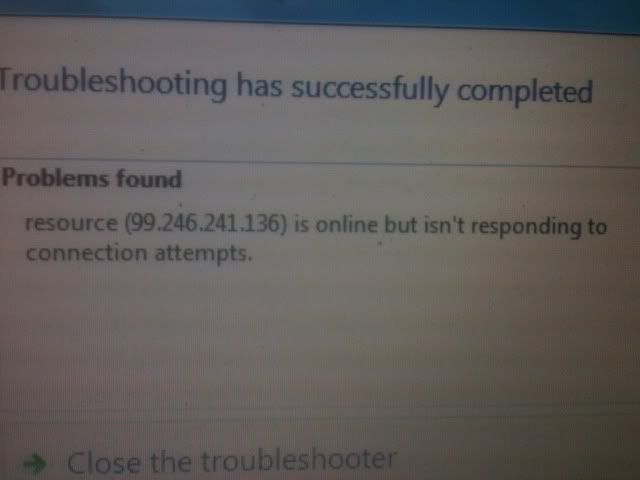
I can login inside my network just fine and we were playing a couple of matches with the same setup as now.
Re: Connection Error
Posted: Tue Jan 03, 2012 9:41 pm
by SVTF
Could this be it?
If I made a change via remote admin ... do I have to restart the server?
Re: Connection Error
Posted: Tue Jan 03, 2012 9:43 pm
by Kent Briggs
Some firewall is blocking outside connections. Mostly likely your router, if you have one. Do you have the correct port forward settings in the router? Also check that your internet IP hasn't changed and matches what you have in the Site Information group settings.
Re: Connection Error
Posted: Tue Jan 03, 2012 9:45 pm
by SVTF
Kent Briggs wrote:Some firewall is blocking outside connections. Mostly likely your router, if you have one. Do you have the correct port forward settings in the router? Also check that your internet IP hasn't changed and matches what you have in the Site Information group settings.
Ip shouldn't have changed .. will check.
Also this was all working with the same setup as now .. the only thing I did was modifiy some table settings via remote admin
Re: Connection Error
Posted: Tue Jan 03, 2012 9:47 pm
by Kent Briggs
SVTF wrote:Could this be it?
If I made a change via remote admin ... do I have to restart the server?
No, that wouldn't matter.
Re: Connection Error
Posted: Tue Jan 03, 2012 9:49 pm
by Kent Briggs
SVTF wrote:Also this was all working with the same setup as now .. the only thing I did was modifiy some table settings via remote admin
If your computer booted to a different local IP (assigned by the router) then that could mess up your port forwarding so be sure to check on that.
Re: Connection Error
Posted: Tue Jan 03, 2012 10:03 pm
by SVTF
Kent Briggs wrote:SVTF wrote:Also this was all working with the same setup as now .. the only thing I did was modifiy some table settings via remote admin
If your computer booted to a different local IP (assigned by the router) then that could mess up your port forwarding so be sure to check on that.
Router is matched up with the local ip for port forwarding ... I did have to switch a number want to test it for me?
Re: Connection Error
Posted: Tue Jan 03, 2012 10:04 pm
by SVTF
SVTF wrote:Kent Briggs wrote:SVTF wrote:Also this was all working with the same setup as now .. the only thing I did was modifiy some table settings via remote admin
If your computer booted to a different local IP (assigned by the router) then that could mess up your port forwarding so be sure to check on that.
Router is matched up with the local ip for port forwarding ... I did have to switch a number want to test it for me?
Never mind all fixed.
Re: Connection Error
Posted: Tue Jan 03, 2012 10:08 pm
by SVTF
Thanks